
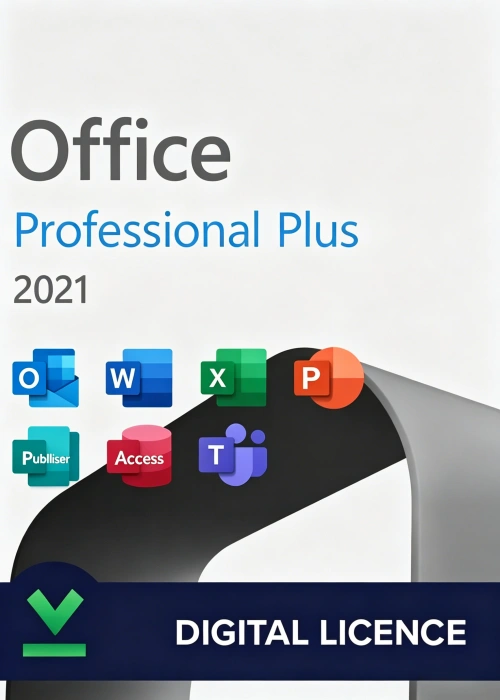
Office 2021 Professional Plus Online Key
• Delivered securely via email
• Activates on Windows 10/11 only
• One-time use, official Microsoft license
Online activation
-
Detail
Microsoft Office 2021 Professional Plus (Online
Activation Key)Product Overview
Elevate your business productivity and streamline your workflow with Microsoft’s most powerful standalone
software suite. Microsoft Office 2021 Professional Plus delivers classic, fully-installed versions of essential
Office applications, upgraded with modern cloud-inspired tools, enhanced performance, and a completely
refreshed design.This Online Activation Key provides a lifetime digital license for a one-time purchase. Say goodbye to
unpredictable monthly subscription fees and recurring software bills—just buy once, activate instantly over the
internet via official Microsoft servers, and own your tools forever.What’s New in Office 2021 Professional Plus?
Compared to older versions, Office 2021 brings enterprise-grade upgrades straight to your desktop:
-
Visual Refresh: A modern, clean look featuring a neutral color palette, rounded window corners, and
perfectly aligned Dark Mode support that matches Windows 11 aesthetics. -
XLOOKUP in Excel: Find data row-by-row in a table or range effortlessly, completely replacing older
VLOOKUP limitations. -
Dynamic Arrays & LET Function: Write complex formulas that return arrays of values automatically and
assign names to calculation results to boost spreadsheet speeds. -
Real-Time Co-Authoring: Collaborate with colleagues on the same document simultaneously, bringing
seamless teamwork to a local desktop app.
Full Enterprise Application Suite Included
-
Microsoft Word 2021: Create impactful documents with advanced editing and reviewing tools. Features
integrated text-to-speech, Line Focus to reduce distraction, and native translation tools. -
Microsoft Excel 2021: Turn data into complex insights with modern chart types, faster calculation speeds,
and advanced data-handling formulas. -
Microsoft PowerPoint 2021: Design cinematic presentations with smooth Morph transitions, Ink Replay to mimic hand-drawn illustrations, and 4K video exports.
-
Microsoft Outlook 2021: Manage your corporate emails, shared calendars, and business contacts in a single secure hub featuring Focused Inbox and instant translation for 70+ languages.
-
Microsoft Access 2021: Build custom database tracking applications optimized for your growing
small-to-large business architecture. -
Microsoft Publisher 2021: Design pixel-perfect marketing materials, newsletters, and brochures with
absolute layout precision. -
Skype for Business / Teams / OneNote: Keep your entire corporate workspace connected, communication
seamless, and quick notes synced across devices.
Why Choose the Online Activation Key?
-
Perpetual Lifetime Ownership: Own your software outright. Eliminate ongoing Microsoft 365 SaaS costs
from your business or personal budget entirely. -
Hassle-Free Online Activation: No frustrating phone-activation procedures or rigid workarounds. Simply
input your 25-character digital code inside the application and activate instantly via the internet. -
100% Genuine Retail Security: Fully verified by official Microsoft activation channels, ensuring direct access to vital software stability and critical security patches.
-
Robust Offline Workflow: Applications install directly onto your local hard drive, letting you stay 100%
productive even when traveling or working completely offline.
System Requirements
3-Step Instant Setup Guide
-
Download: Download the official Microsoft Office 2021 Professional Plus installation file using the secure link provided in your purchase email.
-
Install: Run the official installer file and allow the full suite of desktop applications to set up smoothly on
your PC. -
Activate Online: Launch any application (like Word), navigate to the activation prompt, enter your unique 25-character Online Product Key, and click "Activate over the Internet" to unlock your lifetime enterprise suite
instantly!
-
-
Customer ReviewsNo comments